If you've ever tried to build a D&D world, you know the problem isn't ideas — it's organization. You have a faction in one Google Doc, an NPC list in a spreadsheet, a map you started in Inkarnate three years ago, lore notes scattered across a Notion page, and quest hooks on the back of a napkin. The world is in your head, but it's nowhere a player can see it, and you can't find anything mid-session.
D&D worldbuilding tools exist to solve this. The good ones save you hours of session prep. The bad ones turn worldbuilding into homework. After running campaigns through every major worldbuilding platform over the last few years, here's an honest take on which tools actually pull their weight, which ones are useful for narrow purposes, and which ones to skip.
This article covers what each tool is good at, where it falls short, and how to pick the right combination for the kind of campaign you run. There's no single tool that does everything well — but two or three together can replace a notebook full of disconnected files.
What "Worldbuilding Tool" Actually Means
The term is used loosely. Some people mean wikis. Some mean map makers. Some mean note-taking apps with a fantasy theme. To compare them fairly, it helps to break worldbuilding into the specific tasks involved:
- Map making. Drawing the geography. Continents, kingdoms, cities, dungeons.
- Wiki / encyclopedia. Linked entries for NPCs, locations, factions, items, lore.
- Note-taking and session prep. What you reference live during play.
- NPC and content generation. Coming up with the characters, encounters, and details that fill the world.
- Player-facing campaign hub. What your players can see — shared maps, public lore, character info.
Most tools focus on one or two of these. A few try to do all five and end up doing none of them especially well. The best stack usually combines a map maker, a wiki/encyclopedia, and a generator — three tools that each do one job well.
The Tools, Ranked by Time Saved
1. MythScribe — AI-First Worldbuilder + Generators
What it does well: Builds out a world through linked entities (NPCs, locations, factions, quests, items, lore, events), and uses AI generation that's aware of your world's existing entries. When you generate an NPC, it can reference faction loyalties from your existing NPCs. When you generate an encounter, it knows the location's climate. The AI chat has the entire world as context, so you can ask "give me a tavern owner in Ironhaven who has a grudge against the Crimson Hand" and it'll generate something consistent with what you've already built.
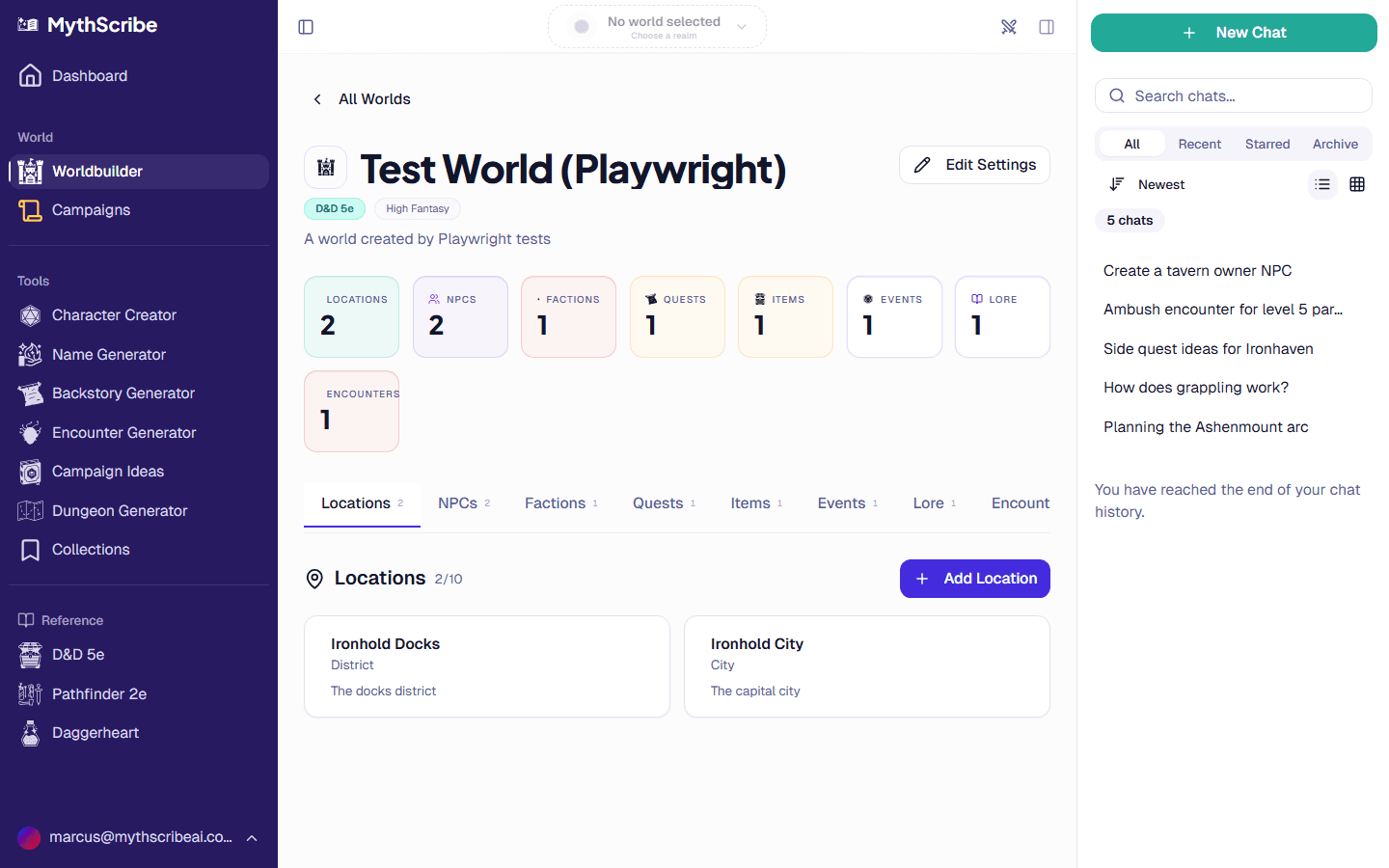 The MythScribe worldbuilder dashboard showing locations, NPCs, factions, and quest tabs
Where it shines: Replacing the wiki + generator + session-prep stack. Instead of writing entries by hand, you generate them, review, and edit. The save-from-chat feature means anything the AI produces in a conversation can be pulled directly into your world as a permanent entry.
Where it doesn't: Map making. There's no built-in map drawing — only the dungeon generator for procedural dungeon maps. You'd still want a separate tool for hex maps or city layouts.
Best for: DMs who hate writing the same backstory and stat block from scratch every session, but still want to own the creative direction. Free to start; the worldbuilder is on the Adventurer plan and up.
2. World Anvil — Deep Wiki, Heavy Lift
What it does well: Genuine encyclopedia-quality articles with cross-linking, timelines, family trees, and worldbuilding "prompts" that teach you how to think about cultures, religions, and history. The free tier is genuinely useful, the export options are robust, and the community has built thousands of public worlds you can browse for inspiration.
Where it doesn't: It's a writing tool, not a session tool. The interface is dense. You'll spend more time writing about your world than playing in it. The custom CSS, BBCode-style markup, and template library reward investment but punish casual use. There's no AI generation — every entry is hand-written.
Best for: Worldbuilders who treat worldbuilding as an end in itself, not just preparation for play. If you're publishing a setting or running a multi-year campaign with lore-heavy players, World Anvil's depth pays off. If you just need NPCs and quest hooks for next Tuesday, it's overkill.
If you've outgrown World Anvil's writing-first workflow, MythScribe positions itself as a World Anvil alternative optimized for play rather than publication.
3. Inkarnate — Map Making, Done Right
What it does well: Beautiful regional, world, and dungeon maps with a friendly interface. The asset library is huge. Maps export at high resolution. The free tier is enough for most DMs. The paid tier ($25/year) is a bargain compared to most worldbuilding tools.
Where it doesn't: It's only a map maker. There's no place to track NPCs, factions, or lore. You'll need another tool for everything that isn't geography.
Best for: DMs who want their maps to look professional without learning Photoshop. Works alongside any wiki tool. The combination of Inkarnate (maps) + MythScribe (everything else) covers most of what a campaign needs.
4. Notion — Flexible, but You Build the Structure
What it does well: Unlimited flexibility. You can build a world wiki, a session log, a character sheet database, a faction relationship matrix — anything, in any structure. Free for personal use. Templates exist for D&D and other TTRPGs.
Where it doesn't: The flexibility is also the weakness. You'll spend the first ten hours setting up the structure (database schemas, page templates, linking conventions) before you can start filling it with content. There's no game-aware features, no generators, no map tools. Search is mediocre.
Best for: DMs who already use Notion for other things and want to add their campaign to it. If you're starting fresh, a purpose-built tool will get you to a usable state faster.
5. Obsidian — Power-User Note Linking
What it does well: Local files in markdown, fast keyboard navigation, a graph view that shows how your notes connect, and a plugin ecosystem that lets you build almost anything. Free, your data stays on your computer, and the linking model (
[[NPC name]]Where it doesn't: Like Notion, you build the structure. There's no built-in awareness of TTRPG concepts. The plugin ecosystem is excellent but requires you to find, install, and configure the right plugins. The mobile experience is limited.
Best for: DMs who already love writing in markdown, want offline access, and don't mind tinkering. The graph view is genuinely magical for spotting connections between NPCs, factions, and quests you'd otherwise forget.
6. Wonderdraft — Map Making, Old-School
What it does well: Continent and regional maps with a hand-drawn aesthetic. One-time purchase ($30) instead of subscription. The output looks more "fantasy novel" than Inkarnate's polish.
Where it doesn't: Steeper learning curve than Inkarnate. Updates are infrequent. Asset libraries are smaller. No browser version — you install it on your computer.
Best for: DMs who want a specific aesthetic that Inkarnate's library doesn't have, or who prefer one-time purchases over subscriptions. Otherwise, Inkarnate wins on speed.
7. Dungeondraft — Battle Maps Specifically
What it does well: Encounter-scale maps for use during combat. Walls, doors, lighting, and effects are designed for VTT export. One-time $20 purchase.
Where it doesn't: Not a worldbuilding tool. Not a regional or city map tool. It's for the room or building you fight in.
Best for: DMs running on a virtual tabletop who need consistent, properly-sized battle maps. Pairs with the dungeon generator for prep — generate a dungeon procedurally, then redraw the rooms players actually visit in Dungeondraft.
And Three Tools That Don't Save Time
Generic Wiki Hosting (MediaWiki, BookStack, etc.)
You can stand up a wiki for your campaign. It will work. It will also take a weekend to set up, require ongoing hosting, and offer no TTRPG-specific features. The community has consistently built better tools than DIY hosting can compete with. Skip this unless you have an unusual constraint.
Roll20's Built-in Wiki
Roll20 has a notes/handouts feature that technically functions as a wiki. It's slow, hard to navigate, and tied to a single campaign. Use it for handouts you want players to see live. Don't use it as your worldbuilding hub.
Microsoft OneNote / Evernote
Both are fine note-taking apps with no game-specific features. You're better off with Notion, Obsidian, or a TTRPG-specific tool. The lack of linking and template support hurts in a context where everything connects to everything.
A Worldbuilding Stack That Actually Works
For most DMs running an active campaign, the right answer is two to three tools, not one. A stack that covers all the worldbuilding tasks without overlap:
- Maps: Inkarnate (regional/world) + Dungeondraft or MythScribe's dungeon generator (encounter-scale).
- Wiki + NPCs + Session Prep: MythScribe's worldbuilder. Linked entities, AI-aware generation, save-from-chat for things you invent at the table.
- Personal note-taking: Obsidian, if you write a lot of session notes or develop lore in long-form. Skip it if you don't.
This stack runs about $25 in subscription cost ($25/year Inkarnate, free MythScribe tier or paid plan) plus optional one-time purchases. It's faster than World Anvil, more game-aware than Notion, and doesn't require you to assemble a custom structure before you can start.
If you want one tool that covers most of the wiki + generation + session-prep workflow, MythScribe is built for that specifically. The worldbuilder supports D&D 5e, Pathfinder 2e, and Daggerheart, with system-aware NPC generation and the save-from-chat workflow that turns the AI into a campaign assistant rather than a replacement.
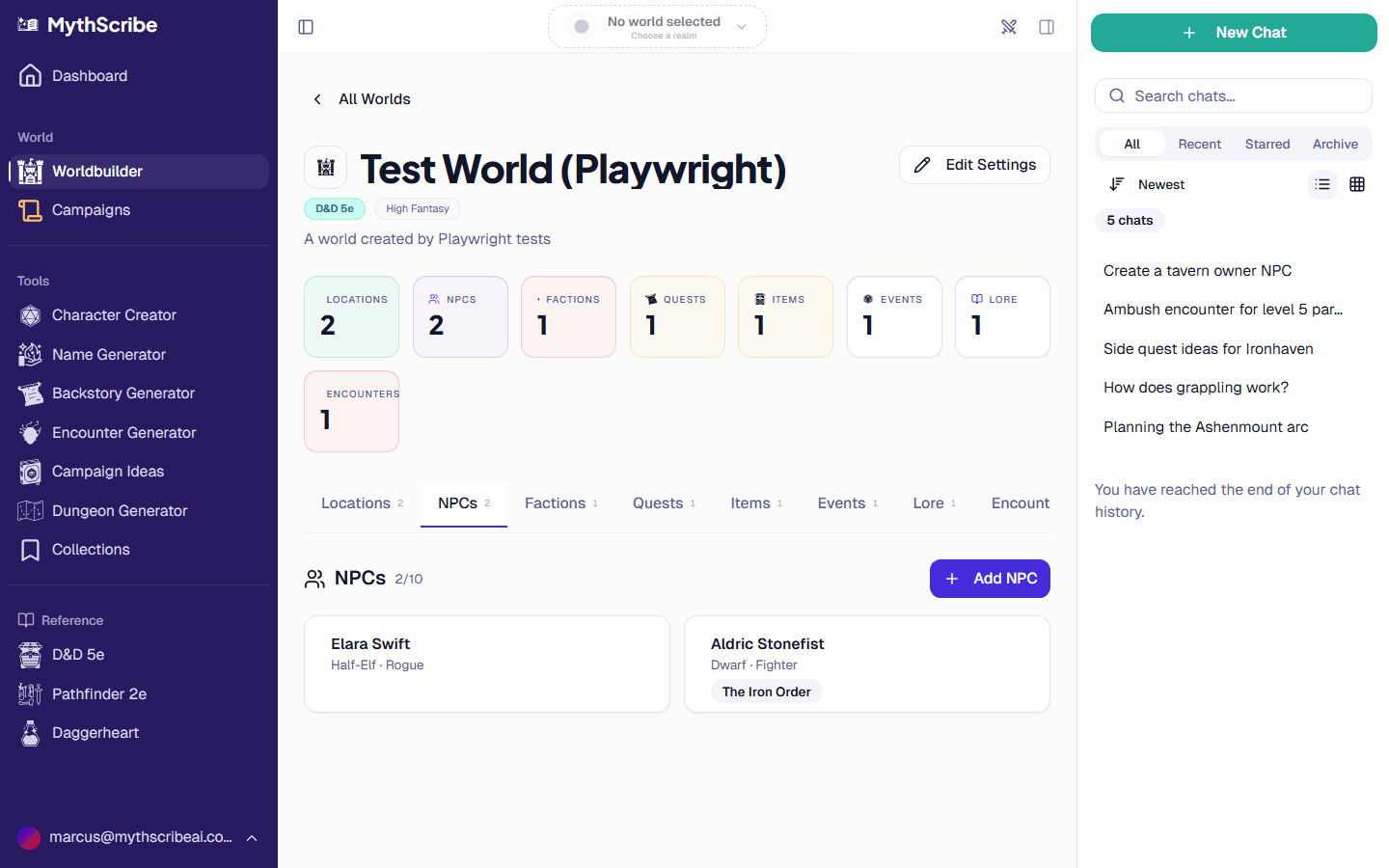 Worldbuilder NPC tab showing several NPC cards with system-specific badges
Picking the Right Tool for Your Campaign
The best worldbuilding tool depends on what you're trying to do. A few common scenarios:
You're starting your first campaign. Use MythScribe for everything except maps; use Inkarnate's free tier for maps. Don't invest in a dense wiki tool until you know what you actually need.
You've been running campaigns for years and have a notebook stack. You probably don't need a new tool — you need a way to digitize what you already have. MythScribe and Notion both let you import existing content; World Anvil does too if you're willing to invest in formatting.
You want to publish your setting. World Anvil is built for this. The presentation features (custom CSS, public articles, subscription gating) exist specifically for setting designers selling to other GMs.
You play remote / on a VTT. Maps matter more. Inkarnate + Dungeondraft for visuals. MythScribe for the rest. The chat-based AI generation is especially useful when you need to invent something live and your players can't see your prep notes.
You play in person / theater of mind. Maps matter less. Skip the map tools entirely if you don't use them at the table. Focus on wiki + NPC tools instead. Generators that produce stat blocks fast are more valuable than mappers in this case.
What to Avoid
A few patterns that consistently waste worldbuilding time:
- Spending more time on the tool than the world. If you're three days into setting up your wiki and haven't written a session yet, the tool isn't working for you.
- Maintaining the same content in two places. Pick one source of truth per task. NPCs in MythScribe or a Notion database, not both.
- Building lore the players will never see. Detailed religion writeups, multi-generational political history, language phonetics. These are fun to write and rarely make it into play. Build them after a campaign needs them, not before.
- Buying every tool. Most worldbuilding tools have free tiers. Try before subscribing. The right combination is usually two paid tools, not five.
The Short Answer
If you only read this section: MythScribe for the wiki, NPC generation, and session prep. Inkarnate for maps. That covers ~90% of what worldbuilding tools are supposed to do, costs less than $30/year, and works alongside whatever note-taking app you already use.
For deeper guidance on building the actual world, see our worldbuilding tips guide — the philosophy of what to build, in what order, and what to leave open. The tool stack matters less than what you put in it.
You can start with the worldbuilder for free and migrate from your existing tool whenever you're ready.
Try These Tools Free
Put what you just read into practice.